
Cloud storage gallery
Google Drive photo galleries for client delivery
Turn a Google Drive folder into a professional, branded photo gallery your clients can view, like, and download.


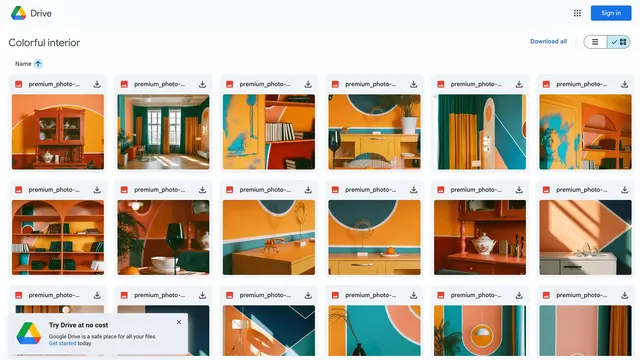
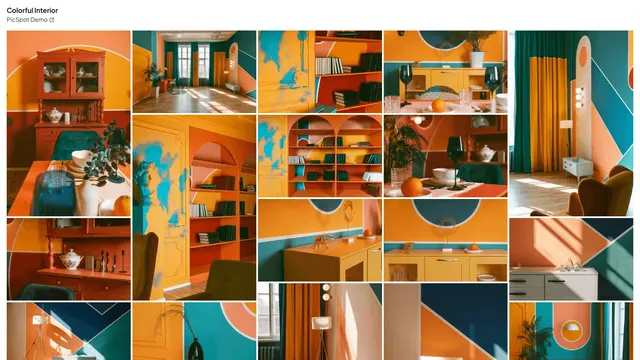
Try it with your Drive folder
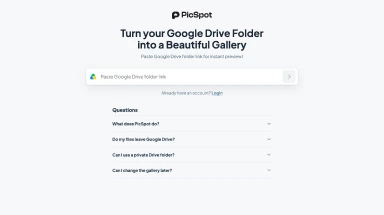
Paste your Drive folder link we'll load them directly in the PicSpot editor.
ogin needed at this point.
Watch How PicSpot Works
See how you can turn a simple Google Drive folder into a professional photo gallery in under a minute.
In 3 Simple Steps, PicSpot delivers Beautiful, Secure Galleries for anyone with a Google Drive
No coding skills required.
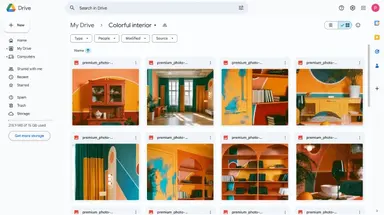
- 1. Upload your images to Your Own Google Drive.
- 2. Paste Google Drive folder link on the PicSpot Editor front page
- 3. Use your PicSpot link to share your Stunning and Professional Gallery
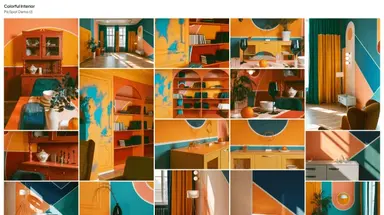
Comparison of a Google Drive With and Without PicSpot
PicSpot turns your existing storage into a seamless gallery solution
- Unprofessional Look
Plain folder views don’t impress your audience.
- No Gallery View
No sleek, image-focused layout for showcasing.
- Google Branding
Google logo and Google pop-ups ruin your branding
- Privacy Risks
Anyone on the internet with the link can view.
- Slow Loading
Large albums are clunky and hard to navigate.
- No Insights
No tracking or analytics on viewer activity.
- Low Engagement
A boring experience for your clients and viewers.
- Professional Presentation
Turn Drive folders into sleek, branded galleries.
- Beautiful Gallery Layout
Showcase images with stunning, customer-friendly design.
- Your Branding
Add your name and link in the gallery header.
- Enhanced Privacy
Protect galleries with password.
- Fast and Efficient
Optimized for seamless loading and navigation.
- Simple Analytics
Track gallery opens.
- Boosted Engagement
Deliver an engaging experience for your audience.
Your Images Deserve Better Than Google Drive Links.
Google Drive falls flat when it comes to sharing. Bland and unprofessional isn’t the look you’re going for.
Turn that clunky folder view into a stunning gallery and impress your audience without switching platforms.
Client delivery guides
Learn how to share photo galleries professionally
Practical guides for photographers who want to turn Google Drive folders into polished client galleries without changing storage workflows.
How to Send Photos to Clients Professionally
A practical guide for photographers who need to send photo galleries to clients without messy Drive links, ZIP files, or confusing folder access.
How to Turn a Google Drive Folder Into a Photo Gallery
Learn how to turn Google Drive photos into a clean client gallery while keeping your files in your own Drive account.
How to Share Large Photo Folders With Clients
Ways to share large photo folders with clients, including when to use Google Drive, when to use a gallery, and how to avoid download confusion.
How to Make Google Drive Links Look Professional
How to replace raw Google Drive folder links with branded client galleries that feel polished, clear, and easier for clients to use.
How to Password Protect Google Drive Photos
A practical way to add password-protected client access to photos stored in Google Drive by sharing them through a gallery.
Simple pricing for your next gallery
Choose monthly or annual billing and get started in the new editor.
- Everything you need for client galleries12 must have features
- High quality imagesCrystal-clear images, perfect for client delivery
- Image downloadAllow individual and packaged downloads
- Collect likesYour clients can mark what they love
- Password protectionSecure galleries with a password
- Expiring galleriesControl gallery availability with automatic expiration
- HD video supportUpload and share HD videos alongside your images
- Detailed statsSee gallery activity on your dashboard
- Control privacyHide specific galleries or your profile page
- Customize galleriesPick layout, style, cover image and more
- Custom domainBoost brand recognition by using your own domain
- Remove PicSpot brandingHide our branding from all your pages
- Priority supportMessage us via chat or e-mail
Frequently Asked Questions
Couldn't find the answer? 👉
PicSpot is basically a gallery layer on top of your Google Drive. Simply connect your Drive account and use the integrated (official) Google Drive file picker to pick specific files, and PicSpot will create a polished, shareable gallery for you in seconds.
Yes, PicSpot integrates with Google Drive to create galleries. You'll need to connect your Google Drive account to select images for your galleries.
Absolutely! PicSpot allows you to customize the gallery header with your name and link.
We only access the files you pick when creating a gallery. We do not need, ask or receive access to your full drive.
Yes, your images stay secure. PicSpot displays them directly from your Google Drive, so they never leave your account. You can unlink your Drive at any time, but just note that galleries made with files from that Drive will no longer work once it's unlinked.
Yes, PicSpot offers basic analytics to track how many times your gallery has been opened.